
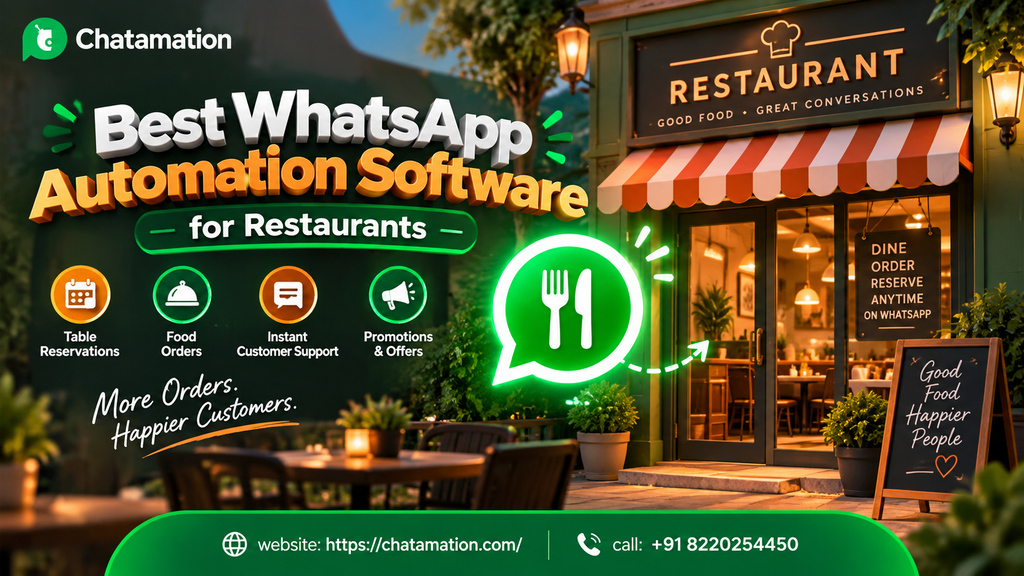
Choosing the best WhatsApp automation software for restaurants is no longer a nice-to-have. It’s the difference between a table booked and a lead lost to a faster competitor. Every day, hungry customers message restaurants on WhatsApp to ask about menus, table availability, delivery timing, and offers. If those messages sit unanswered for even ten minutes, most customers simply order somewhere else. This guide breaks down what restaurant WhatsApp automation actually does and what to look for in a platform. It also covers how Chatamation approaches this problem for restaurant brands using WhatsApp’s official Business Platform.
This isn’t a listicle of generic features. It’s a practical breakdown built for restaurant owners, marketing managers, and operations teams who want a working system, not a buzzword.
What Is WhatsApp Automation for Restaurants?
WhatsApp automation for restaurants refers to software that connects to the WhatsApp Business API and automatically manages customer conversations — without a human typing every reply. Instead of a staff member manually answering “Are you open?” or “Can I book a table for 6 PM?” fifty times a day, an automated system handles the repetitive, high-volume questions instantly, at any hour.
At its core, this kind of system typically handles:
- Answering frequently asked questions (hours, location, menu, delivery zones)
- Taking and confirming reservations
- Processing orders or sending catalog links
- Sending order status and delivery updates
- Running promotional broadcasts to opted-in customers
- Routing complex queries to a human when needed
Meta’s official WhatsApp Business Platform (formerly WhatsApp Business API) is the technical foundation for all of this. It’s the same infrastructure that verified, “Green Tick” business accounts run on. Automation software like Chatamation sits on top of this platform to give restaurant owners a usable interface — flows, templates, dashboards — instead of requiring them to build against the raw API themselves.
Why Restaurants Specifically Need This
Restaurants have a communication pattern that’s different from most other businesses. Message volume spikes into narrow windows — lunch rush, dinner rush, weekend peaks — and customers expect an almost-instant reply before they decide where to eat.
A few realities make this urgent:
- WhatsApp is already the default channel. Customers increasingly message restaurants directly on WhatsApp rather than calling, especially for quick questions like “Do you have a table right now?”
- Missed messages mean missed revenue. A customer asking about tonight’s availability won’t wait an hour for a reply — they’ll message the next place on their list.
- Staff time is scarce during peak hours. The exact moment message volume spikes (dinner service) is the exact moment your front-of-house staff has zero spare capacity to also manage a phone.
- Repetition drains attention. The majority of restaurant WhatsApp messages are the same handful of questions asked over and over — hours, menu, parking, delivery radius — which is precisely the kind of workload automation is built to absorb.
This is the gap that restaurant WhatsApp automation software closes. It doesn’t replace your team. It absorbs the repetitive 80% of conversations so your staff can focus on the 20% that need a human touch.
Core Features to Look for in WhatsApp Automation Software for Restaurants
Not all “WhatsApp automation” tools are built the same way. Before choosing one, it helps to know exactly what capabilities separate a genuinely useful system from a basic auto-reply bot.
| Feature | What It Does | Why It Matters for Restaurants |
|---|---|---|
| 24/7 Auto-Reply | Instantly answers common questions any time of day | Captures late-night and off-hours inquiries that would otherwise go cold |
| WhatsApp Ordering / Catalogs | Lets customers browse menu items and place orders inside the chat | Reduces friction versus redirecting to a separate app or website |
| Reservation & Booking Automation | Confirms table bookings, sends reminders, manages capacity | Cuts no-shows and removes manual back-and-forth |
| Broadcast Campaigns | Sends offers, new menu launches, or event promotions to opted-in customers | Turns WhatsApp into a direct marketing channel, not just support |
| Payment Link Integration | Lets customers pay directly through a shared link | Speeds up checkout for takeaway and delivery orders |
| CRM & Dashboard Analytics | Tracks conversations, orders, and customer history in one place | Gives owners visibility into what’s actually happening across chats |
| Green Tick Verified Messaging | Official Meta verification badge on the business account | Builds customer trust that they’re messaging the real restaurant |
| Google Sheet / Backend Sync | Automatically logs orders and leads into existing systems | Keeps existing operations workflows intact instead of forcing a rebuild |
A genuinely capable WhatsApp Business API for restaurants setup should offer most of these as standard, not as expensive add-ons bolted on later.
How Chatamation Approaches WhatsApp Automation for Restaurants
Chatamation is a WhatsApp Business Platform automation provider built on Meta’s official infrastructure. It currently supports businesses across verticals including education, healthcare, e-commerce, real estate, insurance, and automobile. The same underlying automation engine — auto-reply, catalog and payment link sharing, appointment-style booking, broadcast messaging, and CRM sync — applies directly to a restaurant’s day-to-day communication needs, even where restaurant-specific case studies aren’t yet published.
Here’s how that translates practically:
Order-taking becomes a guided chat flow. Instead of a customer typing “what do you have,” the system guides them through a catalog-style menu inside WhatsApp, with the option to add payment links for takeaway or delivery orders.
Reservations run on the same booking logic Chatamation uses for appointment-based industries. The appointment and scheduling automation built for healthcare bookings or real estate site visits maps directly onto restaurant table reservations. It confirms, reminds, and reschedules — all inside WhatsApp.
Off-hours messages don’t go unanswered. The 24/7 auto-response layer means a customer messaging at 11 PM asking about tomorrow’s booking availability gets an instant, accurate reply instead of silence until opening time.
Marketing becomes a broadcast, not a scramble. Weekend specials, a new menu item, or a festive offer can go out to an opted-in customer list as a WhatsApp broadcast campaign, rather than relying solely on Instagram reach or paid ads.
Everything stays visible in one dashboard. The dashboard tracks order volume, booking requests, and repeat customers centrally instead of scattering them across a personal phone’s chat history.
Chatamation builds on Meta’s WhatsApp Business Platform. That means the underlying delivery, verification, and messaging infrastructure comes from Meta itself — the automation layer is what Chatamation adds on top.
WhatsApp Ordering System for Restaurants: How It Actually Works
A WhatsApp ordering system for restaurants typically follows this flow:
- Customer initiates contact. They message the restaurant’s WhatsApp Business number, either by scanning a table QR code, clicking a website “Order on WhatsApp” button, or messaging a saved contact.
- Automated menu delivery. The system responds with a structured catalog — categories, items, prices, images — instead of a plain text menu.
- Item selection and cart building. The customer selects items conversationally; the automation tracks what’s been added.
- Order confirmation. The system confirms the order total, delivery or pickup details, and estimated time.
- Payment. The system shares a payment link directly in the chat for instant checkout, removing the need to switch to a separate app.
- Order status updates. The customer receives automated updates — “Your order is being prepared,” “Your order is out for delivery” — without staff manually typing each one.
- Post-order follow-up. The system can automatically trigger a feedback request or reorder prompt after the meal, encouraging repeat business.
This structure removes the two biggest friction points in food ordering: switching between apps, and waiting for a human to respond.
WhatsApp Restaurant Booking and Reservation Automation
WhatsApp automation for restaurant reservations solves a different but equally common problem: table management. A typical automated booking flow includes:
- Instant confirmation of date, time, and party size requests
- Automatic checks against available slots (where integrated with a booking system)
- The system sends reminder messages a few hours before the reservation to reduce no-shows
- Customers can reschedule or cancel conversationally, without a phone call
- Waitlist messaging when a preferred slot isn’t available
For restaurants that currently rely on a phone line or a walk-in-only policy, WhatsApp restaurant booking automation effectively adds a second front desk. It never goes on break, never puts a customer on hold, and never forgets to write down a booking.
WhatsApp Chatbot for Restaurants: Practical Use Cases
A WhatsApp chatbot for restaurants isn’t just for taking orders. Common practical use cases include:
- FAQ handling: hours, location, parking availability, dietary options (vegan, gluten-free, allergen info)
- Delivery zone checks: instantly telling a customer whether their address falls within the delivery radius
- Event and private booking inquiries: initial qualification for birthday parties, corporate events, or large group bookings before a human takes over
- Loyalty and repeat-visit nudges: automated messages to past customers about new dishes or limited-time offers
- Multi-location routing: for restaurant chains, automatically directing a customer’s message to the correct branch based on their stated location
The common thread across all of these: the chatbot handles the qualification and repetition. It hands off to a human exactly when a conversation needs judgment, not just information.
WhatsApp Automation for Restaurants Across Markets
Meta’s global WhatsApp Business Platform powers the underlying infrastructure, so geography doesn’t limit WhatsApp automation itself. Any restaurant with a WhatsApp Business account, anywhere in the world, can run the same category of automated ordering and booking flows.
WhatsApp automation for restaurants in India benefits from WhatsApp’s dominant everyday usage across Indian consumers, making it a natural first channel for order and booking automation rather than a secondary one.
Restaurants in Dubai and the wider UAE market serve a customer base that is highly WhatsApp-native for day-to-day business communication, particularly for delivery and reservation confirmations.
In Europe, WhatsApp automation for restaurants runs on the same cloud-based WhatsApp Business Platform infrastructure. Restaurants there should specifically confirm that any automation provider’s data handling practices align with local regulations such as GDPR before onboarding, since compliance documentation varies by provider.
In each case, the practical setup — catalog, booking flow, broadcast messaging — is the same; what changes is the local context: language, payment method preferences, and delivery norms.
What Separates a True WhatsApp Automation Expert From the Rest
Search results are full of software that claims to “automate WhatsApp.” The real difference between a provider that understands the restaurant use case and one that’s simply repurposing a generic chatbot template comes down to a handful of practical distinctions:
Practical Expertise Looks Like
- Flows that follow actual restaurant conversation patterns (order → confirm → pay → update), not a generic “how can I help you” bot
- Booking logic that accounts for real constraints — table turnover time, peak-hour capacity, no-show patterns
- Broadcast messaging that follows WhatsApp’s official policies for promotional content, so Meta doesn’t flag or block campaigns
- Clear escalation paths so a frustrated or complex customer reaches a human quickly, not a dead-end bot loop
Theory-Only Expertise Looks Like
- Marketing copy about “AI-powered conversations” with no explanation of what actually happens step by step
- No visibility into how the provider actually builds a booking or order flow
- Vague claims about “boosting sales” without describing the underlying mechanism (faster response time, catalog conversion, reduced no-shows)
- No mention of compliance with WhatsApp’s own commerce and messaging policies
The practical difference is simple: a real WhatsApp automation partner can walk you through exactly what happens between a customer’s first message and a confirmed order or booking. A theory-only vendor can only describe the outcome, not the mechanism.
Trust Signals: What to Verify Before You Commit
Before choosing any WhatsApp automation software for restaurants, it’s worth verifying a few things directly rather than taking marketing claims at face value:
- Is the provider using WhatsApp’s official Business Platform, or an unofficial/unauthorized integration that risks your number getting banned?
- Does the provider support Green Tick verification, so your customers see a verified business badge?
- What does onboarding actually involve — how long does setup take, and who manages business verification with Meta?
- Where is support based, and what are the actual response hours?
- What’s the pricing structure — annual plans, per-message costs, or a flat platform fee?
Chatamation, for example, operates transparently out of Chennai, India, runs annual pricing plans in INR, and builds directly on Meta’s WhatsApp Business Platform. Restaurants outside India evaluating the platform should confirm current pricing, support hours, and any region-specific compliance documentation directly with the provider, rather than assuming a local presence the site doesn’t publish.
How to Choose the Best WhatsApp Automation Software for Restaurants: A Checklist
Use this checklist when you compare the best WhatsApp automation software for restaurants across providers:
- Uses Meta’s official WhatsApp Business Platform (not an unofficial workaround)
- Supports catalog-based ordering, not just plain-text auto-replies
- Includes reservation/booking automation with reminders
- Offers broadcast campaign functionality for promotions
- Provides a dashboard for tracking conversations and orders
- Supports payment link integration for delivery/takeaway
- Has a clear, transparent pricing structure
- Offers a defined onboarding and setup timeline
- Has a visible escalation path to human support when needed
- Is upfront about where the company is based and how support works
A provider that can check every box above — and explain how, not just claim it — is generally a safer bet. One that leans purely on testimonials or vague “AI-powered” language is riskier.
Getting Started with WhatsApp Automation for Your Restaurant
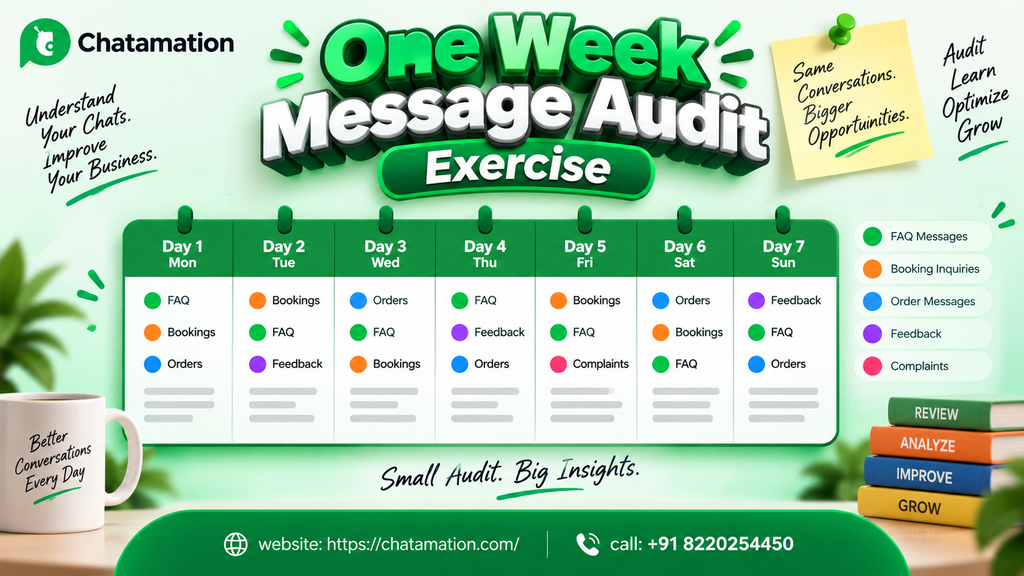
If your restaurant is currently relying on manual replies, a shared staff phone, or a basic WhatsApp Business app without automation, try this: map out one week of incoming messages. Count how many were repetitive FAQs, how many were bookings, and how many led to an actual order. That single exercise usually makes the case for automation more convincingly than any vendor pitch.
If you’re comparing the best WhatsApp automation software for restaurants, Chatamation offers a free demo walkthrough of how its automation flows work on WhatsApp’s Business Platform — a reasonable first step before you commit to any annual plan.
Frequently Asked Questions
What is the best WhatsApp automation software for restaurants?
The best option depends on your restaurant’s specific needs — order volume, whether you take reservations, and whether you need multi-location support. Look for software that runs on Meta’s official WhatsApp Business Platform and supports catalog ordering, booking automation, and broadcast campaigns, rather than a basic auto-reply-only tool.
How does WhatsApp automation work for restaurant ordering?
A customer messages the restaurant’s WhatsApp number and browses an automated catalog of menu items. They select what they want, receive an order confirmation, and pay via an in-chat payment link. From there, they get automated status updates until the order arrives or is ready for pickup.
Can WhatsApp automation handle table reservations?
Yes. WhatsApp restaurant booking automation can confirm date, time, and party size requests and send automated reminders before the reservation. It also handles rescheduling or cancellations conversationally, reducing reliance on phone calls.
Is WhatsApp automation for restaurants expensive?
Pricing varies by provider and typically depends on plan tier, message volume, and which features you include (ordering, booking, broadcast, CRM sync). Most providers, including Chatamation, offer annual pricing plans rather than per-message billing — it’s worth requesting a direct quote based on your restaurant’s expected volume.
Do I need technical knowledge to set up WhatsApp automation?
No. Reputable providers handle the technical setup, including WhatsApp Business verification and flow configuration, so restaurant owners don’t need coding knowledge to get started.
Is WhatsApp automation only useful for large restaurant chains?
No. Independent restaurants and small chains often benefit the most, since they typically have less staff capacity to manually manage high message volume during peak hours.
Does WhatsApp automation replace my staff?
No. It absorbs repetitive, high-volume questions and routine tasks (FAQs, order confirmations, booking reminders) so staff can focus on complex requests, in-person service, and situations that genuinely need human judgment.
How is WhatsApp automation different from a regular WhatsApp Business account?
The free WhatsApp Business app allows basic auto-replies and catalogs but requires manual message-by-message handling at scale. Automation software adds structured flows, CRM integration, broadcast campaigns, and analytics on top of the platform, enabling true hands-off operation at volume.